cirQlar is a spatial workflow tool for macOS that lets you launch apps, route files and trigger actions instantly-right from your cursor.
powerful features
everything you need to supercharge your workflow
lightning fast
Launch apps instantly with a simple double-tap of the Command key. No more hunting through folders or searching for applications.
smart circles
Create multiple circles for different workflows, switch between them seamlessly. Have circles being app aware and adapt to what you are working at the moment.
circle extensions
Group related apps and shortcuts behind a single icon. Extend your circles with nested groups that fan out in elegant arcs.
shortcuts
Record and trigger complex keyboard sequences with a single click. Automate repetitive tasks and boost your productivity.
fully customize
Customize every aspect of your circles. Choose which apps appear, organize them into pages, and create the perfect setup for your workflow.
portal
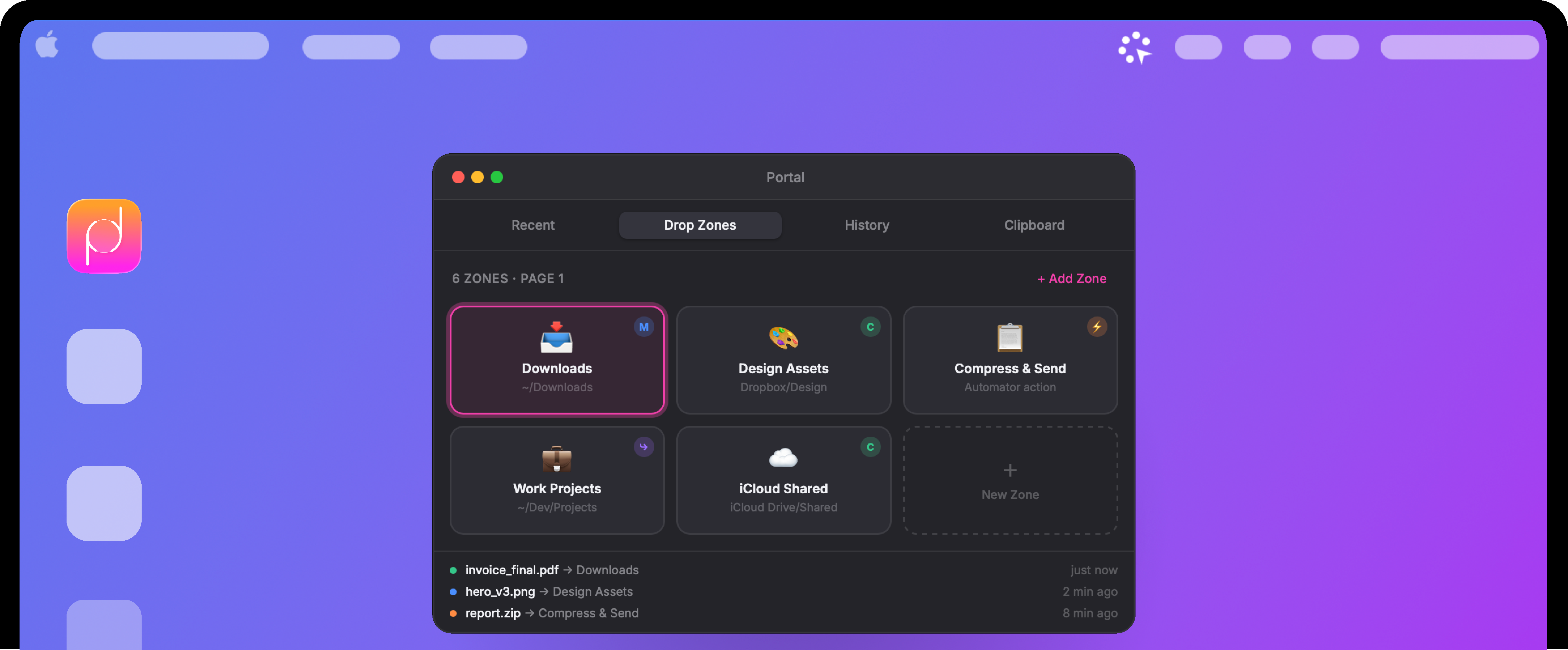
Move files effortlessly with drag and drop through Portal. Access your most-used folders and files without leaving your workflow.
powerful features
everything you need to supercharge your workflow
lightning fast
Launch apps instantly with a simple double-tap of the Command key. No more hunting through folders or searching for applications.
smart circles
Create multiple circles for different workflows, switch between them seamlessly. Have circles being app aware and adapt to what you are working at the moment.
circle extensions
Group related apps and shortcuts behind a single icon. Extend your circles with nested groups that fan out in elegant arcs.
shortcuts
Record and trigger complex keyboard sequences with a single click. Automate repetitive tasks and boost your productivity.
customize
Customize every aspect of your circles. Choose which apps appear, organize them into pages, and create the perfect setup for your workflow.
portal
Move files effortlessly with drag and drop through Portal. Access your most-used folders and files without leaving your workflow.
portal
the optional but included add-on that truly supercharges your workflow
🗂️
Smart Auto-Sort
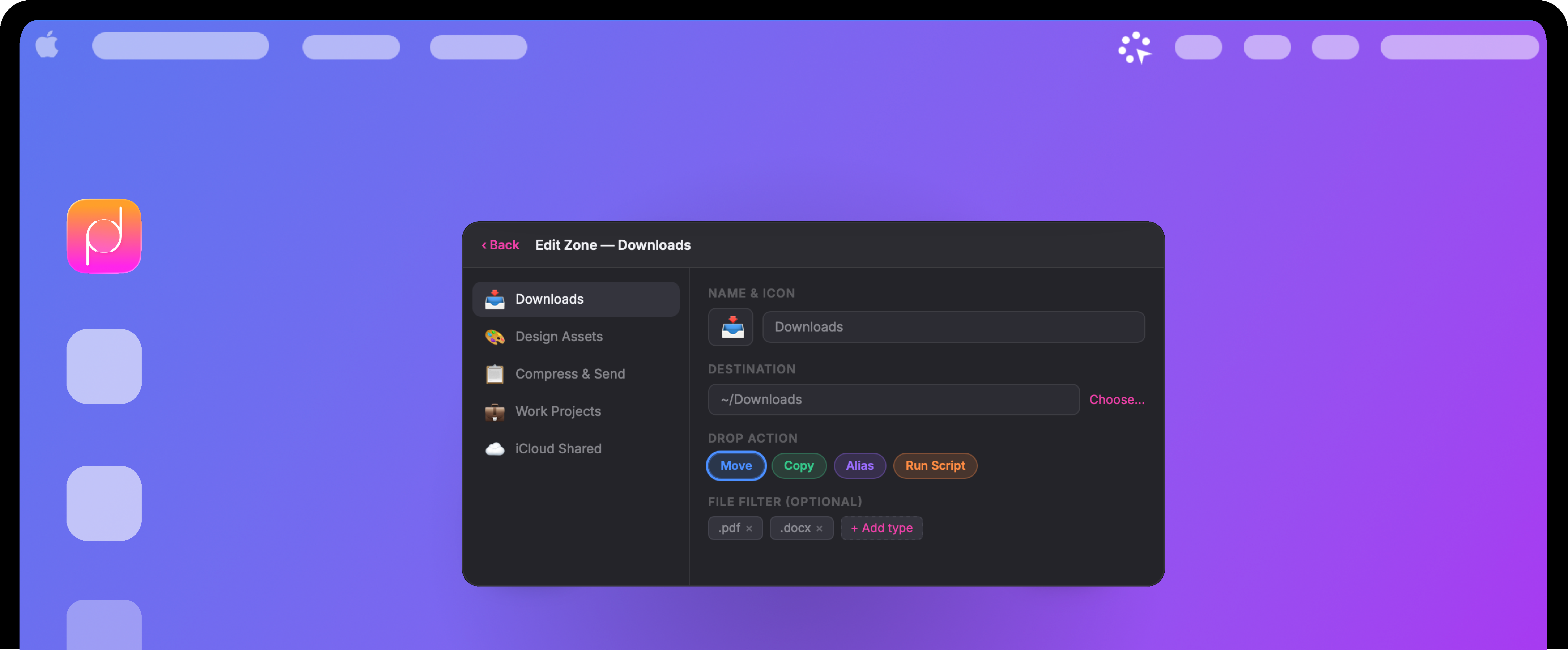
Zones learn file patterns. Drop a PDF once to “Invoices” — the next PDF from the same app auto-routes there with a confirmation nudge.
SMART
📋
Clipboard Stack
A persistent, scrollable clipboard history that stays in Portal. Pin frequent items (code snippets, URLs) for one-click paste.
POWER
⚡
Script Zones
Drop a file onto a zone that runs an Automator workflow, shell script, or Shortcut. E.g. “Resize & Optimise” or “Upload to CDN”.
CUSTOM
AirDrop Zone
A dedicated Airdrop zone to either drag files to once or collect in the list and send when ready.
POWER
Zone Pages
Group zones by context: “Work”, “Personal”, “Media”. Swipe or click to switch page. Reduces clutter while keeping all zones reachable.
CUSTOM
🔒
Secure Zone
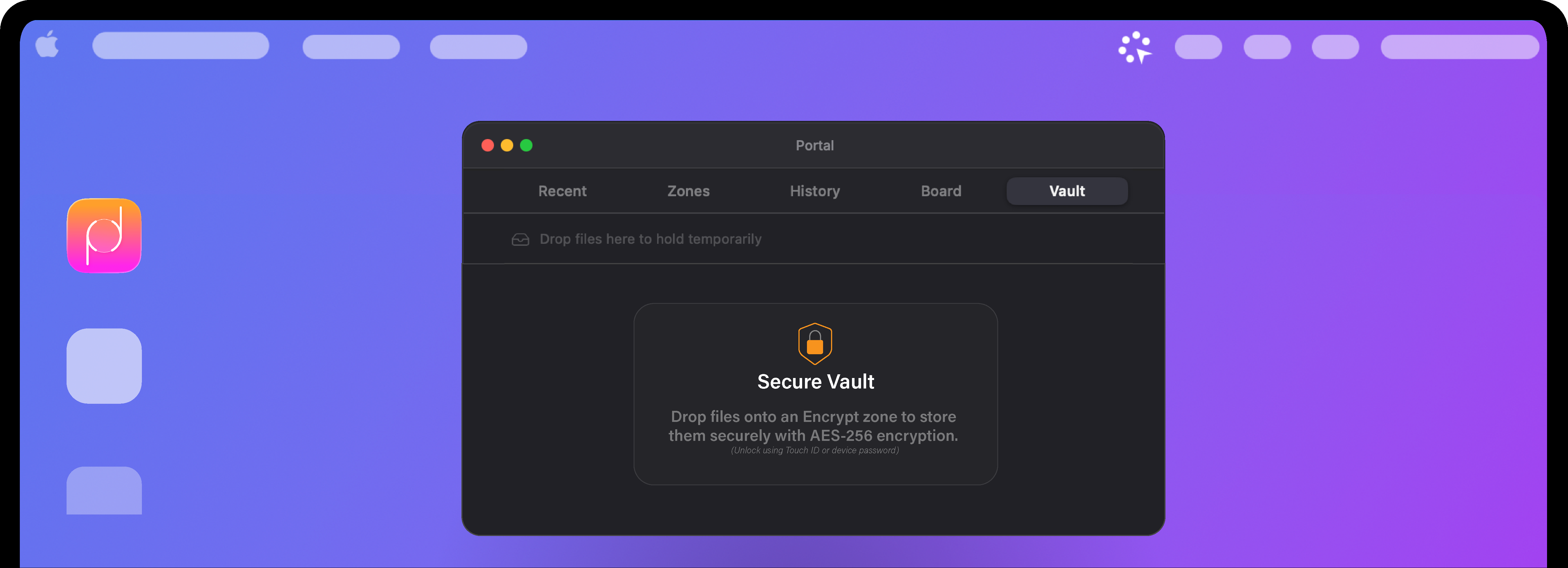
Drop files into an encrypted vault zone. Files are encrypted via macOS CryptoKit on arrival, stored safely, and unlocked with Touch ID.
POWER
portal
the optional but included add-on that truly supercharges your workflow
🗂️
Smart Auto-Sort
Zones learn file patterns. Drop a PDF once to “Invoices” — the next PDF from the same app auto-routes there with a confirmation nudge.
📋
Clipboard Stack
A persistent, scrollable clipboard history that stays in Portal. Pin frequent items (code snippets, URLs) for one-click paste.
⚡
Script Zones
Drop a file onto a zone that runs an Automator workflow, shell script, or Shortcut. E.g. “Resize & Optimise” or “Upload to CDN”.
AirDrop Zone
A dedicated Airdrop zone to either drag files to once or collect in the list and send when ready.
Zone Pages
Group zones by context: “Work”, “Personal”, “Media”. Swipe or click to switch page. Reduces clutter while keeping all zones reachable.
🔒
Secure Zone
Drop files into an encrypted vault zone. Files are encrypted via macOS CryptoKit on arrival, stored safely, and unlocked with Touch ID.
ready to get started?
Download a 7-day free trial of cirQlar and transform how you work on your Mac.
On mobile, while being able to both purchase a license and/or download the trial, the app itself is Mac only.
Download to start your free trial. When it ends, buy a license and paste the key into
cirQlar → Settings to keep going. Payments handled by Paddle, our Merchant of Record.
By purchasing you agree to the
Terms and
Refund Policy.
Thank you! 🎉
Your payment is complete.
We've emailed your license key. Open cirQlar, go to Settings → License, paste the key, and click Activate.
Didn't get the email within a few minutes? Check spam, or contact
support.